Developers extracting YouTube thumbnails have two primary options in 2026: the direct img.youtube.com CDN URL method (no API key needed) or the YouTube Data API v3 (requires an API key, returns confirmed URLs and metadata). This guide covers both approaches with code examples and explains when to use each.
Key Takeaways
- The simplest approach: construct
img.youtube.com/vi/{VIDEO_ID}/maxresdefault.jpgURLs directly — no API key needed - The youtube data api thumbnail approach confirms which resolutions actually exist and returns exact pixel dimensions
- The YouTube Data API v3 requires a free Google Cloud API key and has quota limits (10,000 units/day free)
- For production apps, the API is more reliable because it confirms thumbnail availability before fetching
- Rate limit consideration: the direct CDN method has no official rate limit, but the API approach has documented quotas
Method 1: Direct CDN URL (No API Required)
The fastest approach for getting youtube api image links requires no authentication:
function getThumbnailUrls(videoId) {
  const baseUrl = 'https://img.youtube.com/vi';
  return {
    maxres: `${baseUrl}/${videoId}/maxresdefault.jpg`,
    hq: `${baseUrl}/${videoId}/hqdefault.jpg`,
    mq: `${baseUrl}/${videoId}/mqdefault.jpg`,
    sd: `${baseUrl}/${videoId}/sddefault.jpg`,
    default: `${baseUrl}/${videoId}/default.jpg`,
  };
}

// Extract video ID from URL
function extractVideoId(url) {
  const patterns = [
    /[?&]v=([^&#]+)/,        // watch?v=
    /youtu\.be\/([^?#]+)/,    // youtu.be/
    /shorts\/([^?#]+)/,       // youtube.com/shorts/
    /embed\/([^?#]+)/,        // youtube.com/embed/
  ];
  for (const pattern of patterns) {
    const match = url.match(pattern);
    if (match) return match[1];
  }
  return null;
}
Limitation: This doesn’t verify whether maxresdefault exists for a given video. You need to check the response — if maxresdefault returns a 120×90 image (a 404 placeholder), the video doesn’t have that resolution.
Checking if maxresdefault exists:
async function getBestThumbnail(videoId) {
  const maxresUrl = `https://img.youtube.com/vi/${videoId}/maxresdefault.jpg`;
  const response = await fetch(maxresUrl, { method: 'HEAD' });

  // maxresdefault returns 200 but a 120x90 placeholder if unavailable
  // Check dimensions via content-length or fetch and check image dimensions
  const hqUrl = `https://img.youtube.com/vi/${videoId}/hqdefault.jpg`;

  // hqdefault is always available
  return { maxres: maxresUrl, hq: hqUrl };
}
Note: YouTube’s CDN returns HTTP 200 for all quality levels — even ones that “don’t exist” — but serves a small placeholder image. To reliably detect maxresdefault availability, you need to check image dimensions.
Method 2: YouTube Data API v3 (Recommended for Production)
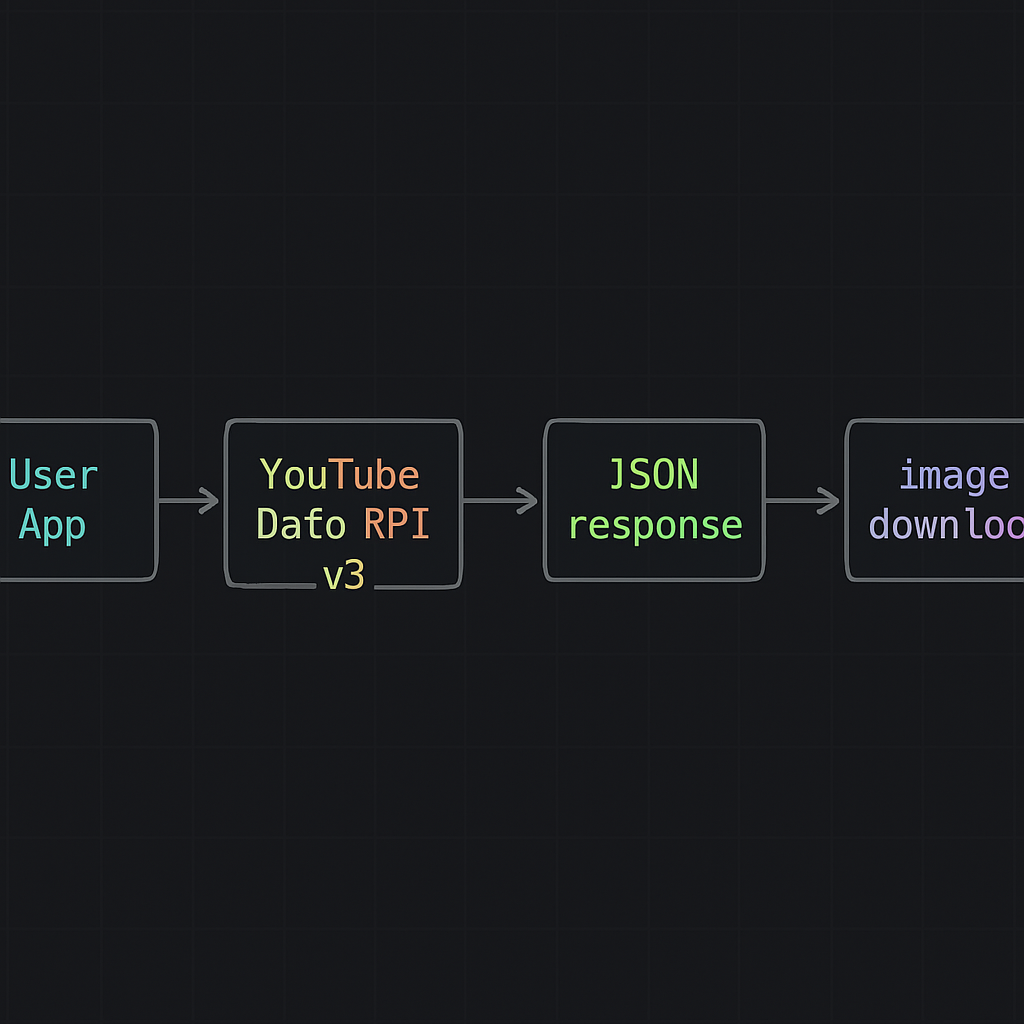
The youtube thumbnail api via the YouTube Data API v3 returns confirmed thumbnail URLs with dimensions, as documented in the thumbnails resource reference.
Setup
- Go to Google Cloud Console.
- Create a project.
- Enable the YouTube Data API v3.
- Create an API key under Credentials.
API Request
async function getYouTubeThumbnails(videoId, apiKey) {
  const url = `https://www.googleapis.com/youtube/v3/videos` +
    `?id=${videoId}&key=${apiKey}&part=snippet`;

  const response = await fetch(url);
  const data = await response.json();

  if (!data.items || data.items.length === 0) {
    throw new Error('Video not found');
  }

  const thumbnails = data.items[0].snippet.thumbnails;
  return thumbnails;
}
API Response Structure
{
  "default": {
    "url": "https://i.ytimg.com/vi/{VIDEO_ID}/default.jpg",
    "width": 120,
    "height": 90
  },
  "medium": {
    "url": "https://i.ytimg.com/vi/{VIDEO_ID}/mqdefault.jpg",
    "width": 320,
    "height": 180
  },
  "high": {
    "url": "https://i.ytimg.com/vi/{VIDEO_ID}/hqdefault.jpg",
    "width": 480,
    "height": 360
  },
  "standard": {
    "url": "https://i.ytimg.com/vi/{VIDEO_ID}/sddefault.jpg",
    "width": 640,
    "height": 480
  },
  "maxres": {
    "url": "https://i.ytimg.com/vi/{VIDEO_ID}/maxresdefault.jpg",
    "width": 1280,
    "height": 720
  }
}
Note: The maxres key is only present in the response if the video actually has a maxresdefault thumbnail. This is the key advantage of the API over the direct CDN method — no guessing.
API Quota Limits
YouTube Data API v3 free tier — see the official quota cost reference:
- 10,000 units per day per project
- A
videos.listrequest with thesnippetpart costs 1 unit - This means you can make up to 10,000 thumbnail lookups per day for free
For most apps, 10,000 daily lookups is sufficient. If you need more, additional quota can be purchased from Google Cloud or you can distribute load across multiple projects/keys.
Getting Thumbnail URLs Programmatically Without the API
For the get thumbnail programmatically use case where you don’t want to deal with API keys and quotas, the direct CDN approach works well for lower-scale applications. The URL pattern is stable and has worked reliably since YouTube’s early days.
# Python example
import re

def get_video_id(url):
    patterns = [
        r'[?&]v=([^&#]+)',
        r'youtu\.be/([^?#]+)',
        r'shorts/([^?#]+)',
    ]
    for pattern in patterns:
        match = re.search(pattern, url)
        if match:
            return match.group(1)
    return None

def get_thumbnail_urls(video_id):
    base = f'https://img.youtube.com/vi/{video_id}'
    return {
        'maxres': f'{base}/maxresdefault.jpg',
        'hq': f'{base}/hqdefault.jpg',
        'mq': f'{base}/mqdefault.jpg',
        'sd': f'{base}/sddefault.jpg',
        'default': f'{base}/default.jpg',
    }
Downloading Thumbnails Programmatically
Once you have the URL, downloading is standard HTTP:
// Node.js / Browser fetch
async function downloadThumbnail(url, filename) {
  const response = await fetch(url);
  const blob = await response.blob();

  // Browser: trigger download
  const link = document.createElement('a');
  link.href = URL.createObjectURL(blob);
  link.download = filename || 'thumbnail.jpg';
  link.click();
}
# Python: save to disk
import requests

def download_thumbnail(url, output_path):
    response = requests.get(url, stream=True)
    response.raise_for_status()
    with open(output_path, 'wb') as f:
        for chunk in response.iter_content(chunk_size=8192):
            f.write(chunk)
For Non-Developers: Use the Web Tool
If you’re not building an application and just need a thumbnail, the YouTube Thumbnail Downloader does everything described above through a clean web interface — no API key, no code, no setup.
For context on the URL structure the tool uses, see YouTube Thumbnail URL Trick.
Conclusion
For production applications in 2026, use the YouTube Data API v3 — it confirms thumbnail availability and returns exact dimensions. For simpler scripts, prototypes, or low-volume tools, the direct img.youtube.com CDN URL method works without authentication or quota concerns. Both approaches are well-documented, stable, and free for most use cases.